

BlogVault Backup Review After 6 Months
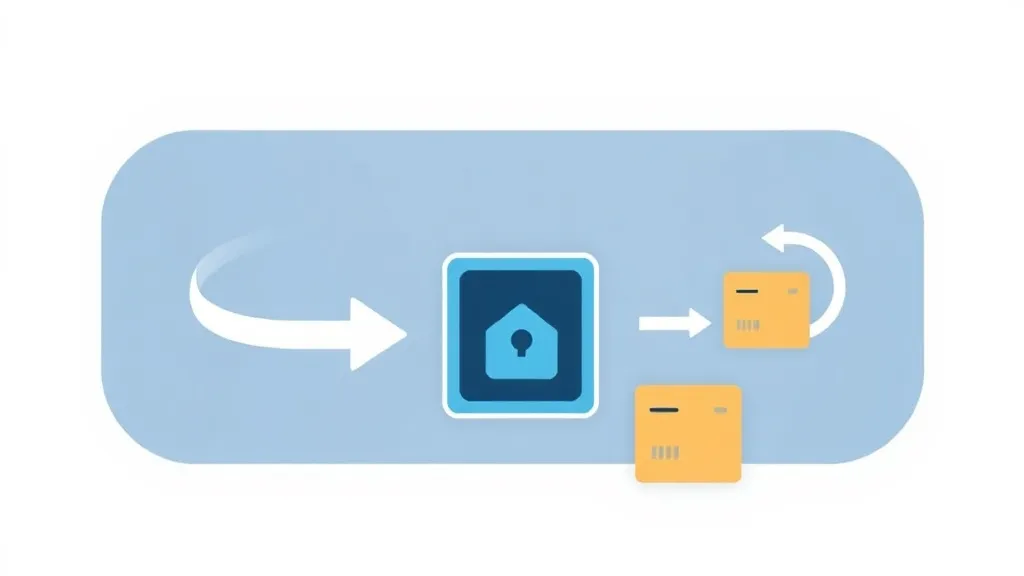

BlogVault sits in an unusual spot in the WordPress backup world: it is not really a plugin in the way UpdraftPlus or BackWPup are. It is a managed, off-site backup service that happens to install a thin plugin as its connector. That architectural choice is the whole story of whether it is worth your money. This review walks through how BlogVault actually works, where it earns its price, and the specific situations where you should pick something else.
What BlogVault actually is
Most WordPress backup plugins do the heavy lifting on your server. They zip up your files, dump your database, and either store the archive in your hosting account or push it to Dropbox or Google Drive. The problem is obvious the day you actually need a restore: if your host is down, hacked, or has deleted your account, your backups are stranded in the same burning building.
BlogVault inverts this. Backups run on BlogVault's own servers, and the archives live on independent storage (Amazon S3-backed infrastructure), completely separate from your host. The plugin on your site mostly just hands data over and receives instructions. This is the single most important thing to understand: you are buying a SaaS backup service with a WordPress dashboard, not a tool you self-host.
Incremental backups, daily full copies
The backup engine is incremental. After the first full backup, BlogVault only transfers the bytes that changed since the last run, which keeps server load and bandwidth low. Critically, it still reconstructs a complete, restorable copy of your site each day rather than leaving you to stitch fragments together. For a busy site with a large wp-uploads directory, this is the difference between a backup that finishes quietly in the background and one that spikes your CPU and gets your shared host to send you a nasty email.
The features that matter day to day
- One-click restore. This is BlogVault's strongest single feature. Because the restore runs from BlogVault's servers, it works even when your site is completely broken or unreachable through wp-admin. You can also do partial restores: pull back just the database, just the plugins folder, or just uploads, instead of rolling the whole site back.
- Built-in staging. One click spins up a staging copy on BlogVault's infrastructure, so you can test a plugin update or a theme change without touching your live site and without paying your host for a separate staging slot. Staging environments can be kept alive for an extended window (up to roughly 56 days), and you can merge changes back to production.
- Migration. The same machinery that restores a backup will migrate a site to a new host or a new domain. It has built-in compatibility profiles for a long list of hosts, which is what makes the "move to a new server" workflow genuinely close to one click rather than an afternoon of database search-and-replace.
- Malware scanning and removal. Higher tiers and the MalCare-aligned security features add daily (or more frequent) malware scans and one-click cleanup. The scan runs on BlogVault's servers, so it does not slow your site down the way an on-server scanner does.
- Centralized dashboard. Every site you connect shows up in one external dashboard. You manage backups, restores, staging, and updates without logging into each individual wp-admin. This is the feature agencies and freelancers actually pay for.
Performance and reliability
Because the work happens off-site, BlogVault's footprint on your own server is light. There is no large cron job hammering your database, and no multi-gigabyte zip file sitting in your hosting account eating disk quota. On constrained shared hosting this matters more than people expect: plenty of "free" backup plugins fail silently on big sites precisely because the host kills the PHP process before the archive completes. BlogVault sidesteps that class of failure by not relying on your server to finish the job.
Real-time backups are available for WooCommerce and other high-change sites, capturing orders and content as they happen rather than once a day. If you run a store, losing even a few hours of orders to a once-daily snapshot is a real cost, and this is the tier you want.
Pricing, honestly
BlogVault is not cheap, and you should go in with clear eyes. Plans are billed per site per year, roughly along these lines:
- Entry backup plan (around $149/year per site): once-daily backups, ~90 days of retention, one staging site, daily malware scan.
- Mid tier (around $199/year): twice-daily backups, ~180 days retention, more frequent scanning.
- Pro (around $299/year): up to four daily backups, ~365 days retention, scanning every few hours.
- Real-time / high tier (around $499/year): continuous, near-real-time backups for active stores.
Agency and multi-site bundles bring the per-site cost down substantially, and that is where BlogVault's math starts to make sense. If you are paying $149 to protect one hobby blog, the value is debatable. If you are an agency protecting 40 client sites from a single dashboard with one-click restores you can trust at 2am, the per-site price is trivial against the cost of one bad recovery. There is a 7-day free trial with no credit card, which is genuinely enough time to test a real restore and a real staging push before committing.
Where it falls short
The recurring objection is straightforward: it costs real money where a self-hosted plugin is free or one-time. UpdraftPlus, for example, can back up unlimited sites to your own cloud storage for a fraction of the long-term cost, and it never bills you per site. If your budget is the binding constraint and you are comfortable managing your own off-site storage and remembering to test restores, a self-hosted tool wins on price.
You also do not control the storage. Backups live on BlogVault's infrastructure, which is the entire point, but it means you are trusting a third party with copies of your database. For most sites that is a fine trade; for sites with strict data-residency or self-hosting requirements, it can be a dealbreaker. BlogVault does offer GDPR-compliant storage and you can download archives locally, which mitigates this.
Finally, the plugin's local interface is deliberately minimal. Almost everything happens in the external dashboard, so if you prefer a tool that lives entirely inside wp-admin, the workflow will feel slightly off-site by design.
Who should buy it
- Agencies and freelancers managing more than a handful of client sites. The central dashboard and reliable off-site restores are worth the price on their own.
- WooCommerce and membership sites where losing hours of orders or signups is unacceptable. Pay for the real-time tier.
- Anyone on shaky shared hosting who has watched a free backup plugin fail on a large site, or who has ever had a host lose data.
Who should look elsewhere
- Single hobby sites on a tight budget. A free or low-cost self-hosted plugin pointed at your own Google Drive will cover you.
- Teams with strict self-hosting or data-residency rules that forbid third-party storage of site data.
- People who want everything inside wp-admin and dislike managing an external service dashboard.
The verdict
BlogVault is one of the most dependable ways to make sure a WordPress site can actually come back from disaster, because it solves the problem most backup tools quietly ignore: backups that survive your host failing. The off-site architecture, trustworthy one-click restores, and the staging and migration tools make it an easy recommendation for agencies and serious store owners. The price keeps it out of reach for casual single-site owners, and that is the right call for the product — it is built for people whose downtime has a dollar figure attached. If that is you, use the free trial to run a real restore, and judge it on whether your site comes back exactly as it left.
Site
Tools
We do not sell your email. We do not spam.
© 2026 RevealTheme. All rights reserved.